Every screen an operator touches: signing in, watching status, registering upstreams, approving definitions,
writing rules, minting agent tokens, reading the audit trail. Operators sign in through SSO; what an account
may do comes from roles in your identity provider.
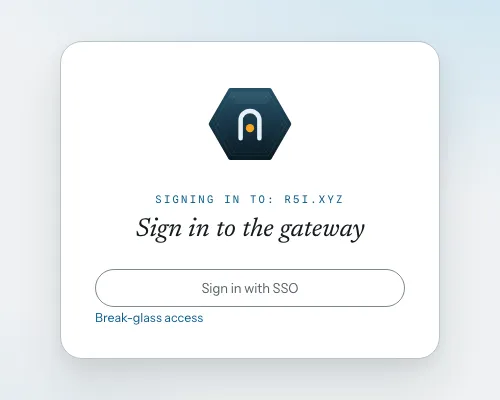
Sign-in
One sign-in, no second password database.
The login page delegates to your identity provider over OIDC; a local bootstrap admin account remains as
break-glass access.
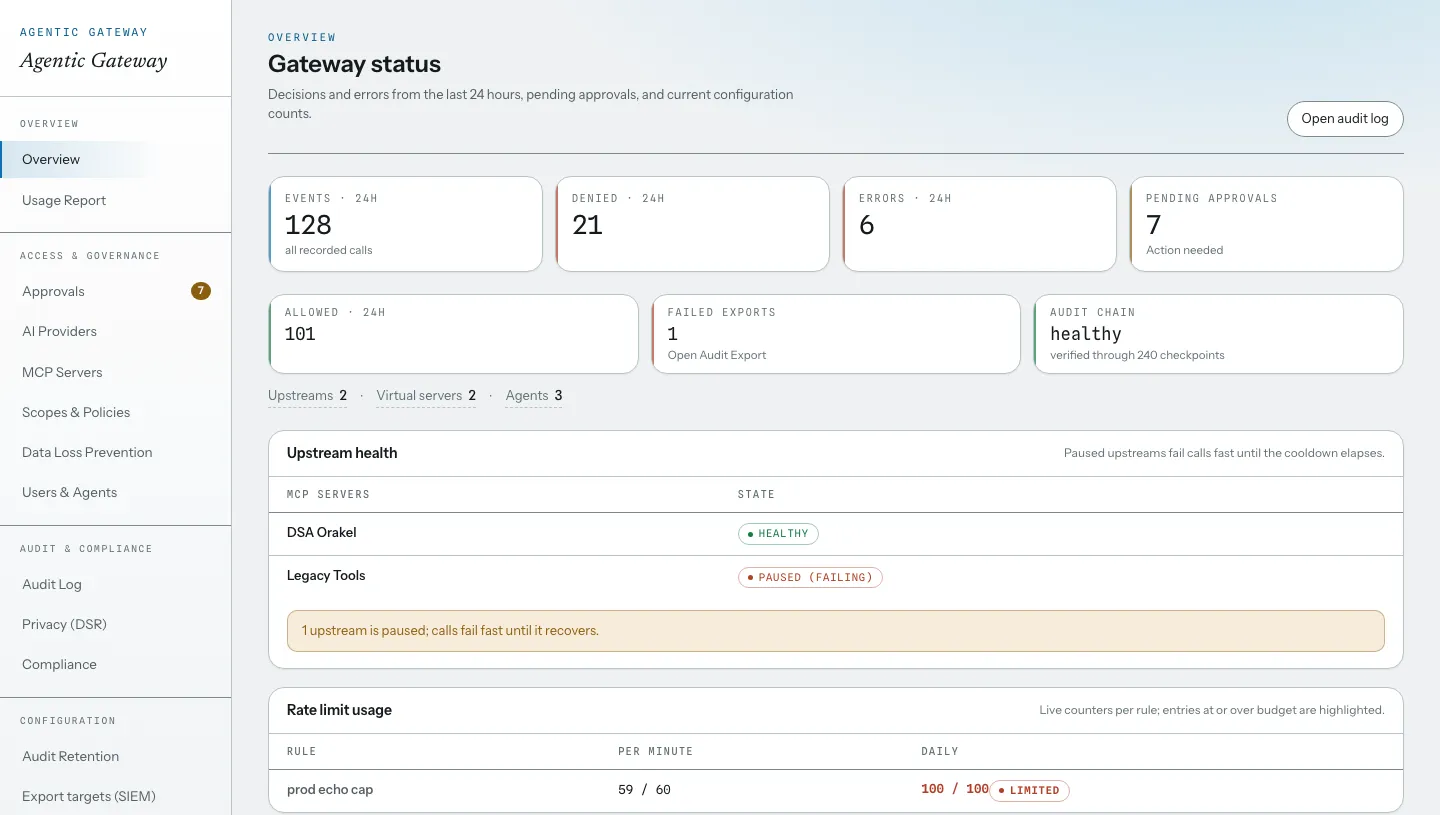
Overview
The daily questions on one page.
Decisions and errors over 24 hours, upstream health with failing upstreams paused, live rate-limit usage,
tools awaiting review, and the latest audit events.
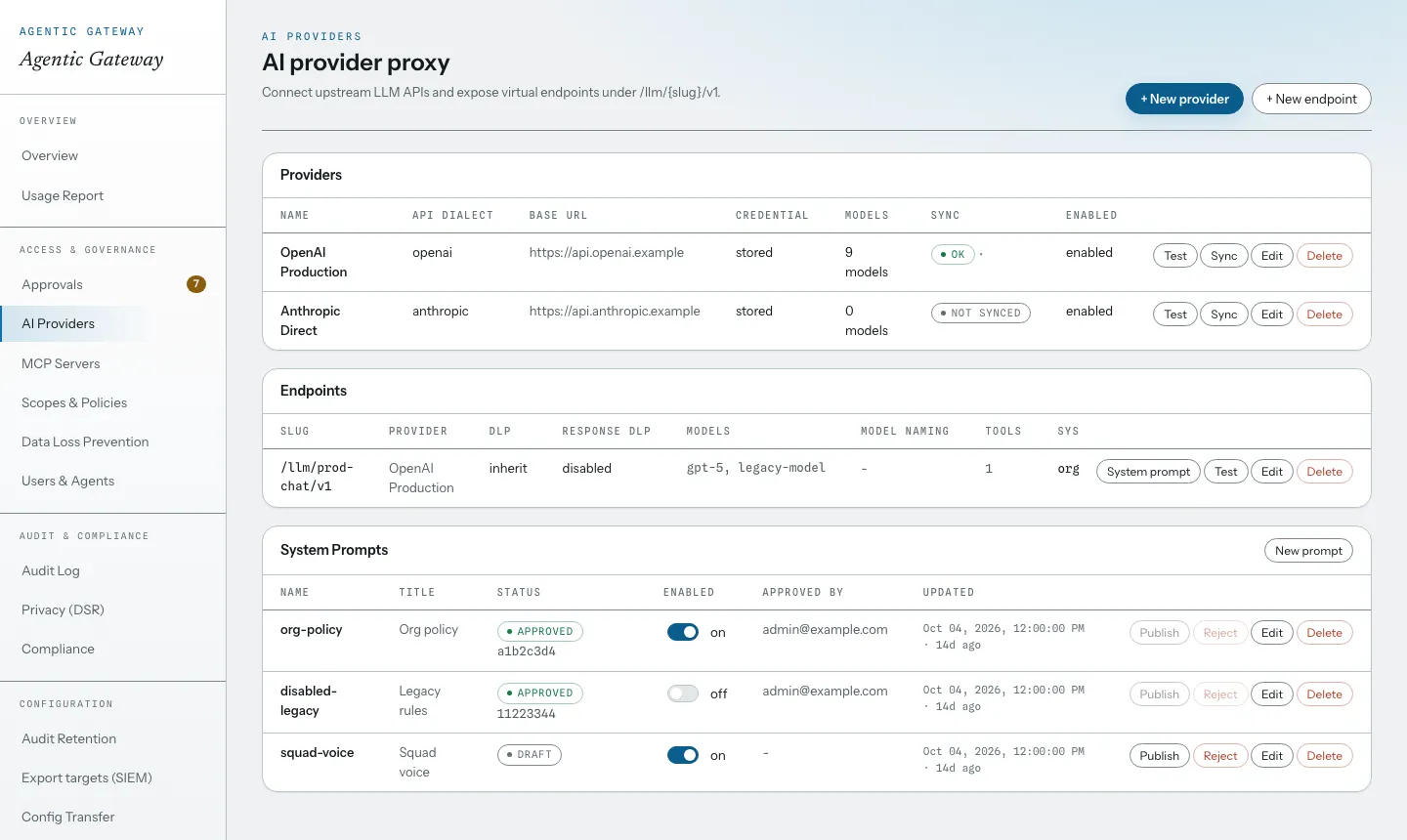
AI providers
Provider keys stay here; endpoints come out.
Upstream provider credentials are stored encrypted on the gateway and never reach an agent. Virtual
endpoints under /llm/{slug}/v1 carry the model list and an approved system prompt.
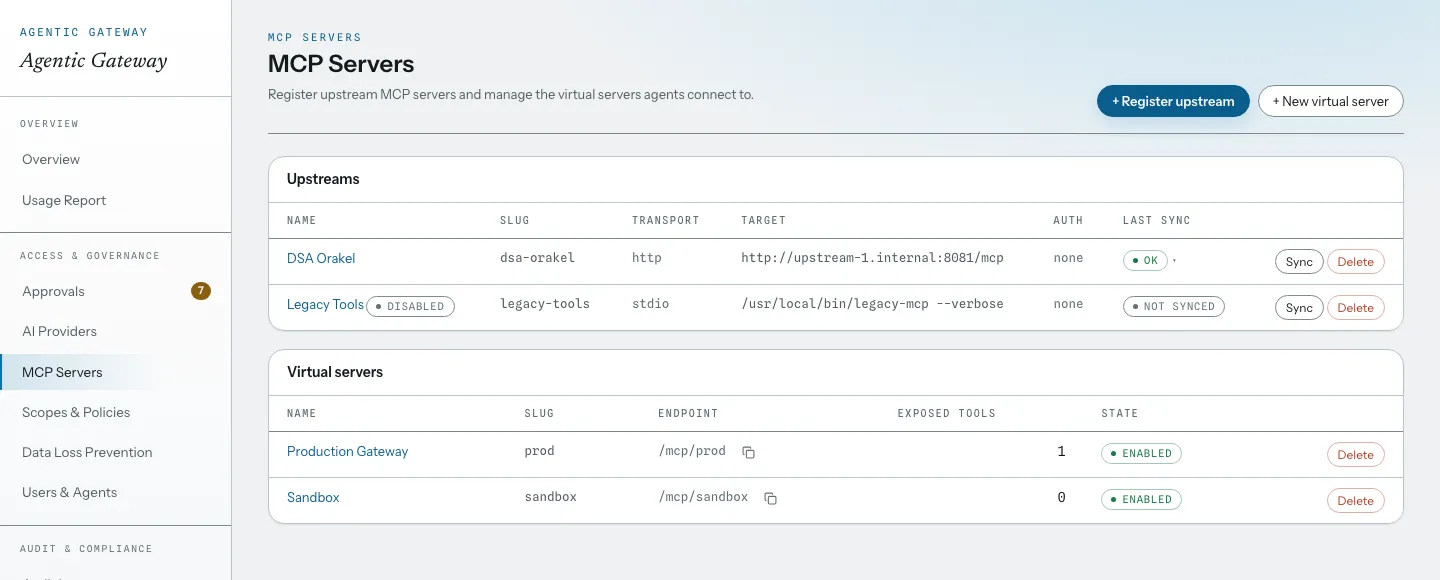
MCP servers
Upstreams in, virtual servers out.
Upstream MCP servers are registered with their transport (HTTP or stdio) and synced from source. Agents
connect to virtual servers under /mcp/{slug}; assignment and approval decide what each one
exposes.
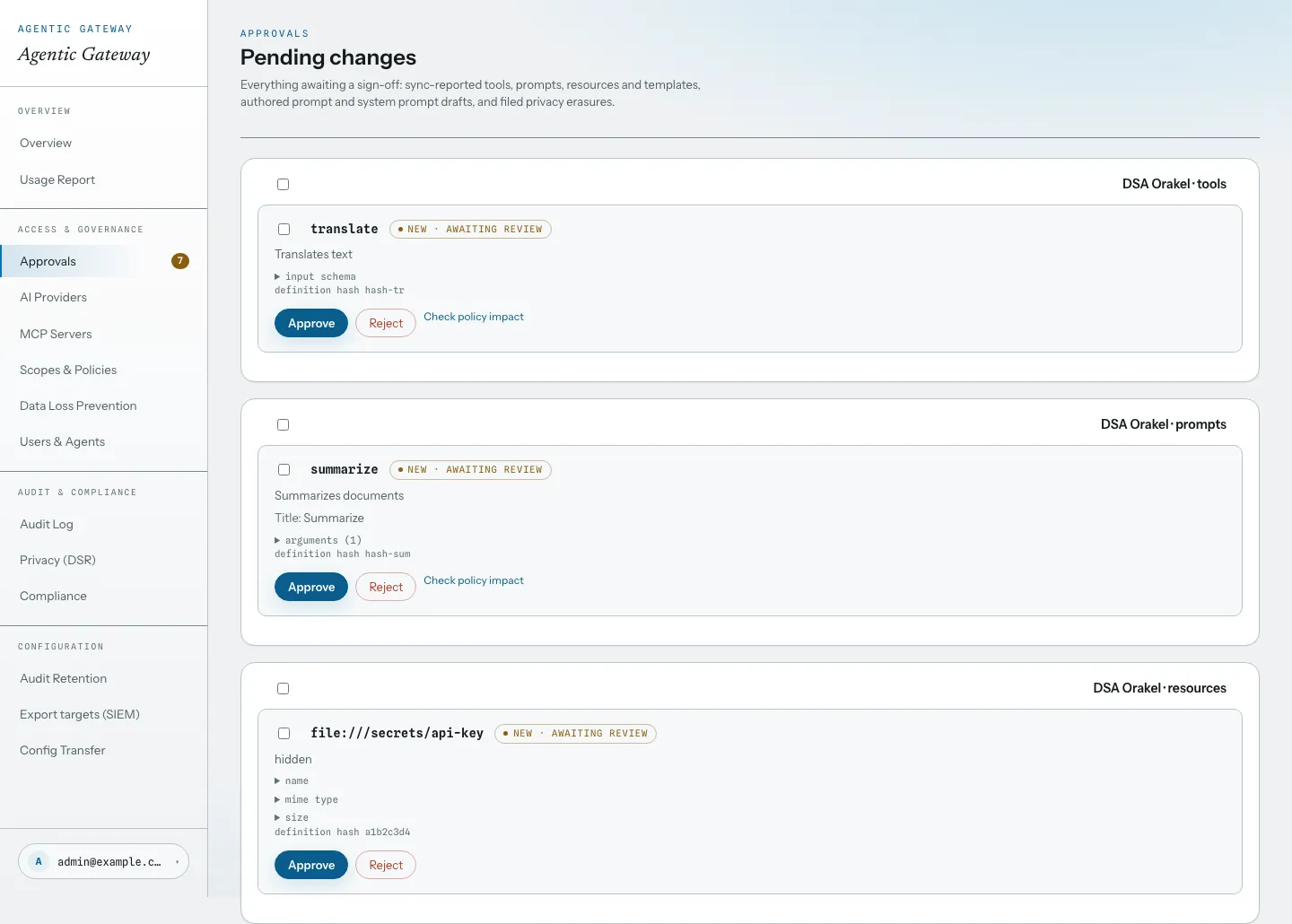
Approvals
Nothing goes live unreviewed.
Synced tools, prompts, resources, and templates queue for sign-off. Approval records the SHA-256 hash of
the exact definition, so a later change is held back until someone approves the new version. The person who
submitted a change does not approve it; if an admin has to step in, the ledger marks it.
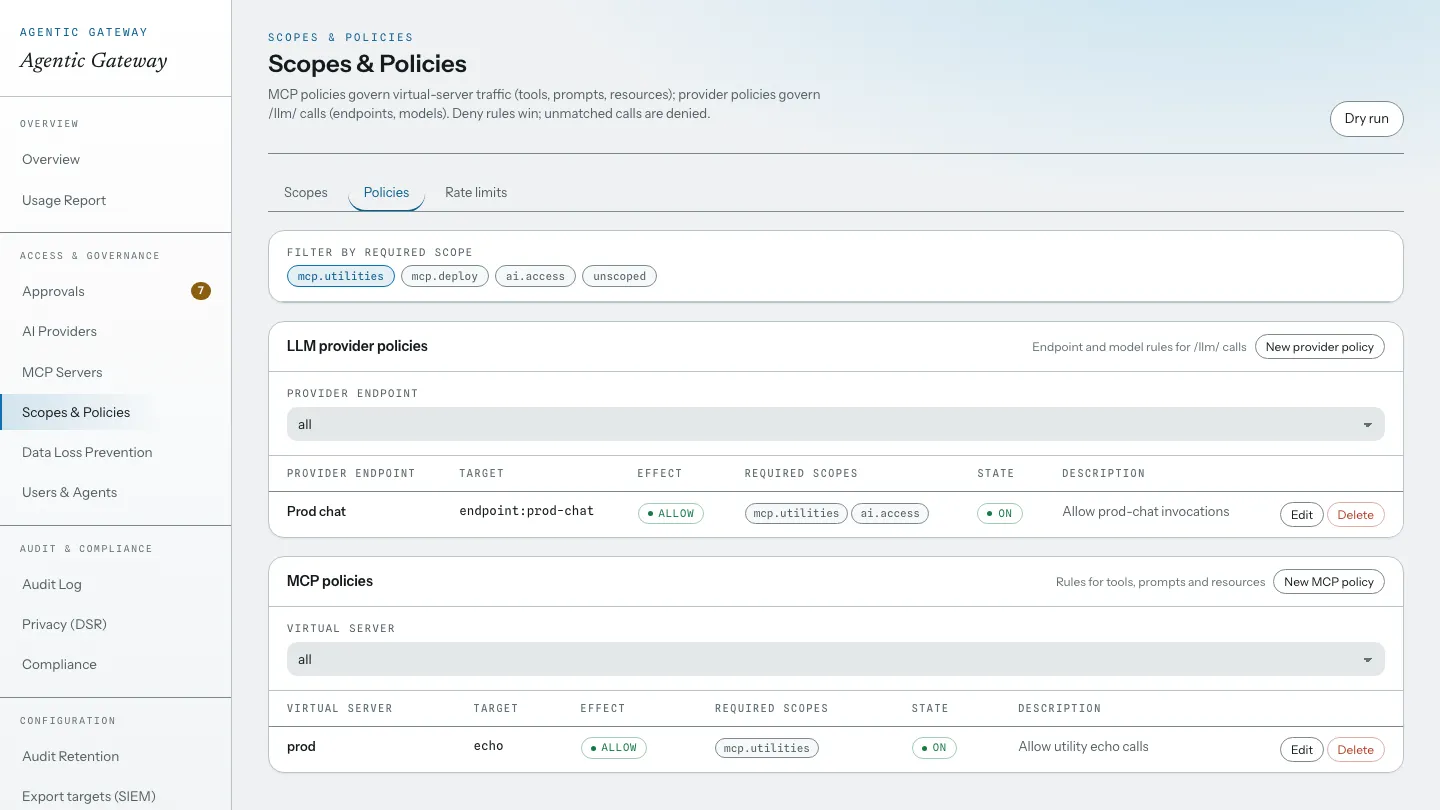
Access rules
Deny by default, scoped allow rules on top.
Provider and MCP policies share one shape: target, effect, required scopes. Deny rules win, unmatched calls
are denied, and the dry run previews a decision before you commit a rule.
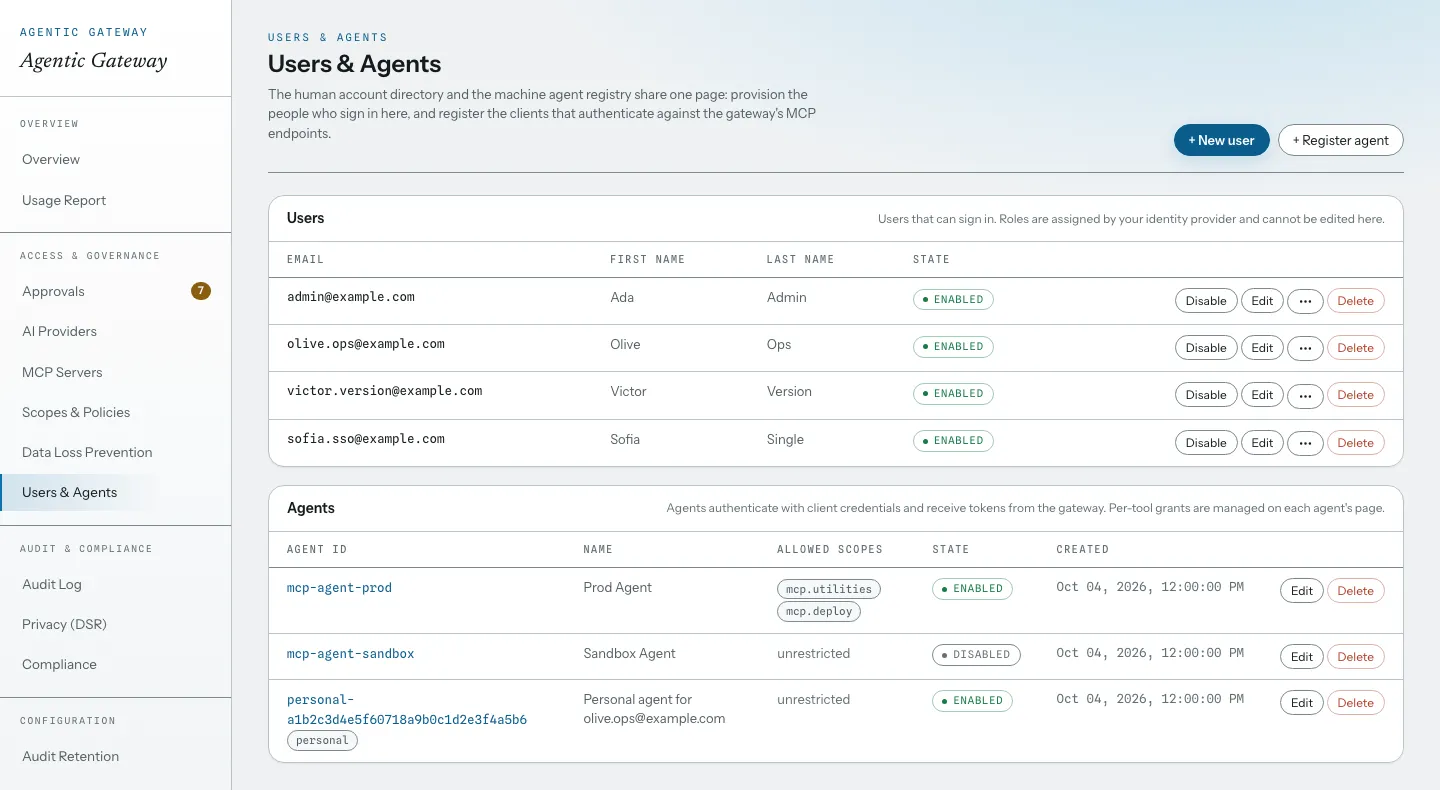
Users & agents
People and machine clients, one directory.
The account directory and the agent registry share one page. An agent's allowed scopes cap every token it
can ever hold, and its state gates every request it makes.
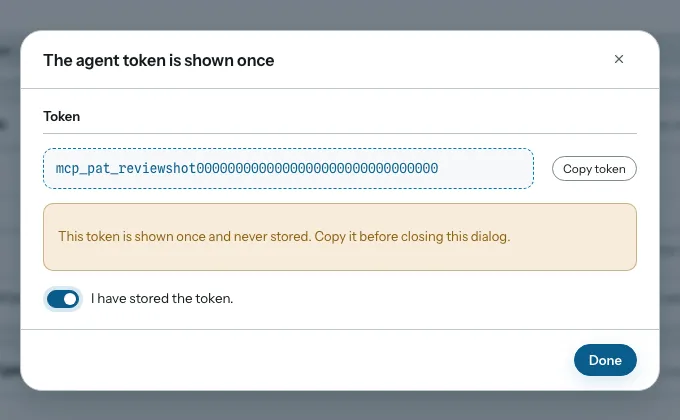
Agent logins
Agents sign in with OAuth, or with a token you mint for them.
OAuth-capable clients sign in through your identity provider. Agents that cannot run an OAuth flow get a
personal access token instead: 256-bit random, pinned to the agent's allowed scopes, shown once, stored as
a hash, revocable on the spot.
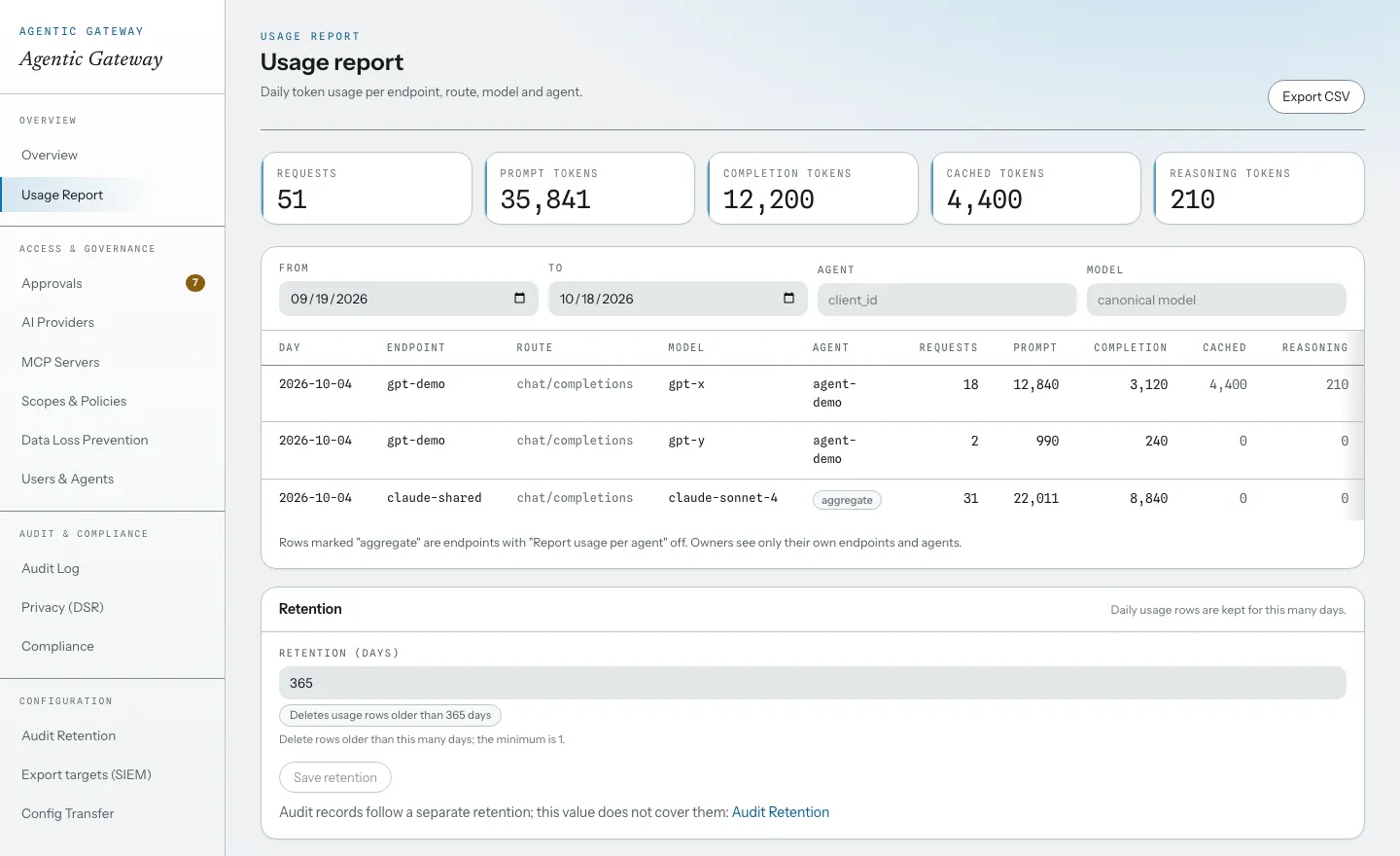
Usage
Spend, per day and per agent.
Token spend per endpoint, route, model, and agent, with its own retention separate from the audit log.
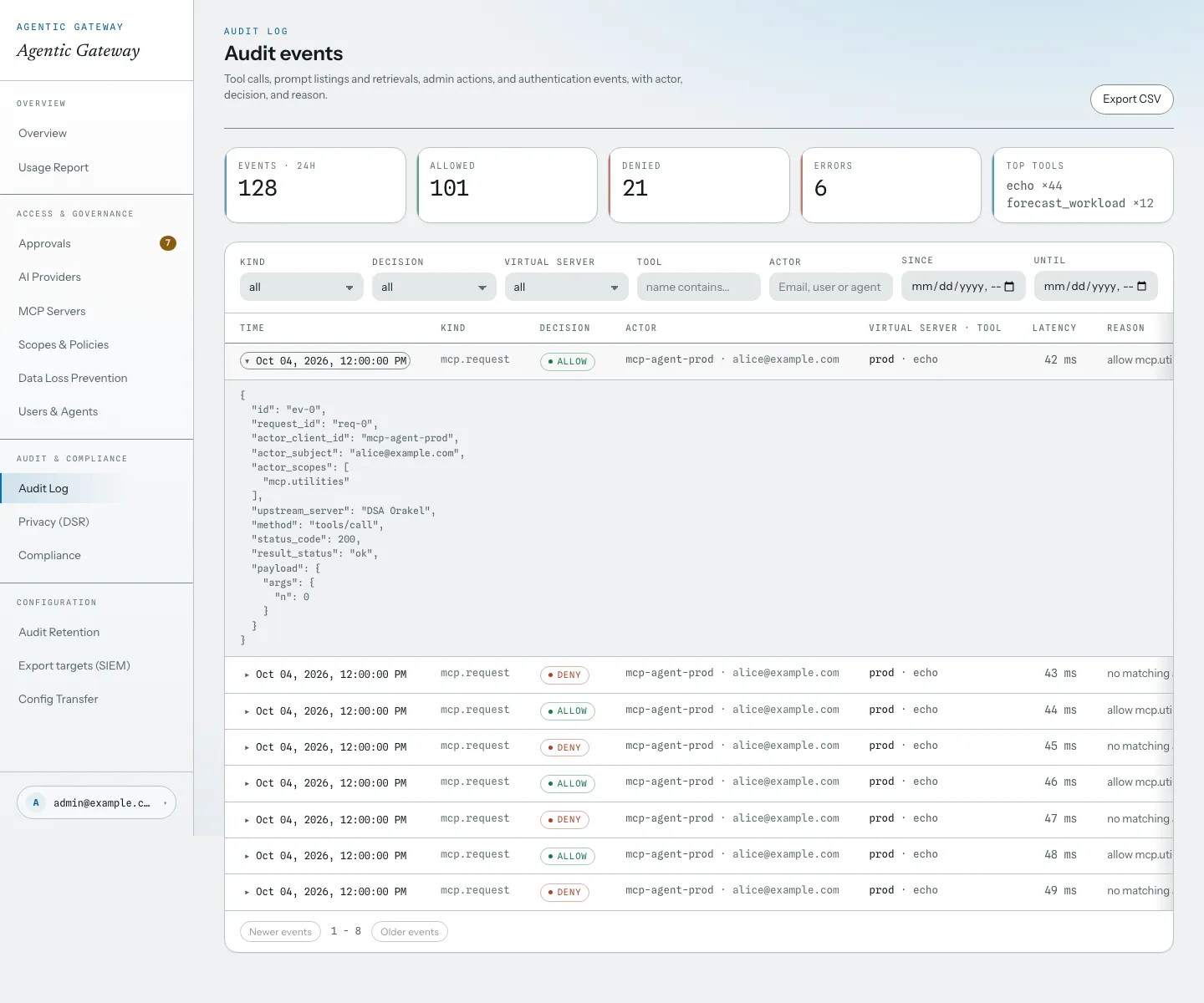
Audit log
Every decision, inspectable.
Filter by kind, decision, actor, and time; each row expands to the full event with scopes, latency, and the
redacted payload. Export to CSV or stream to a SIEM.
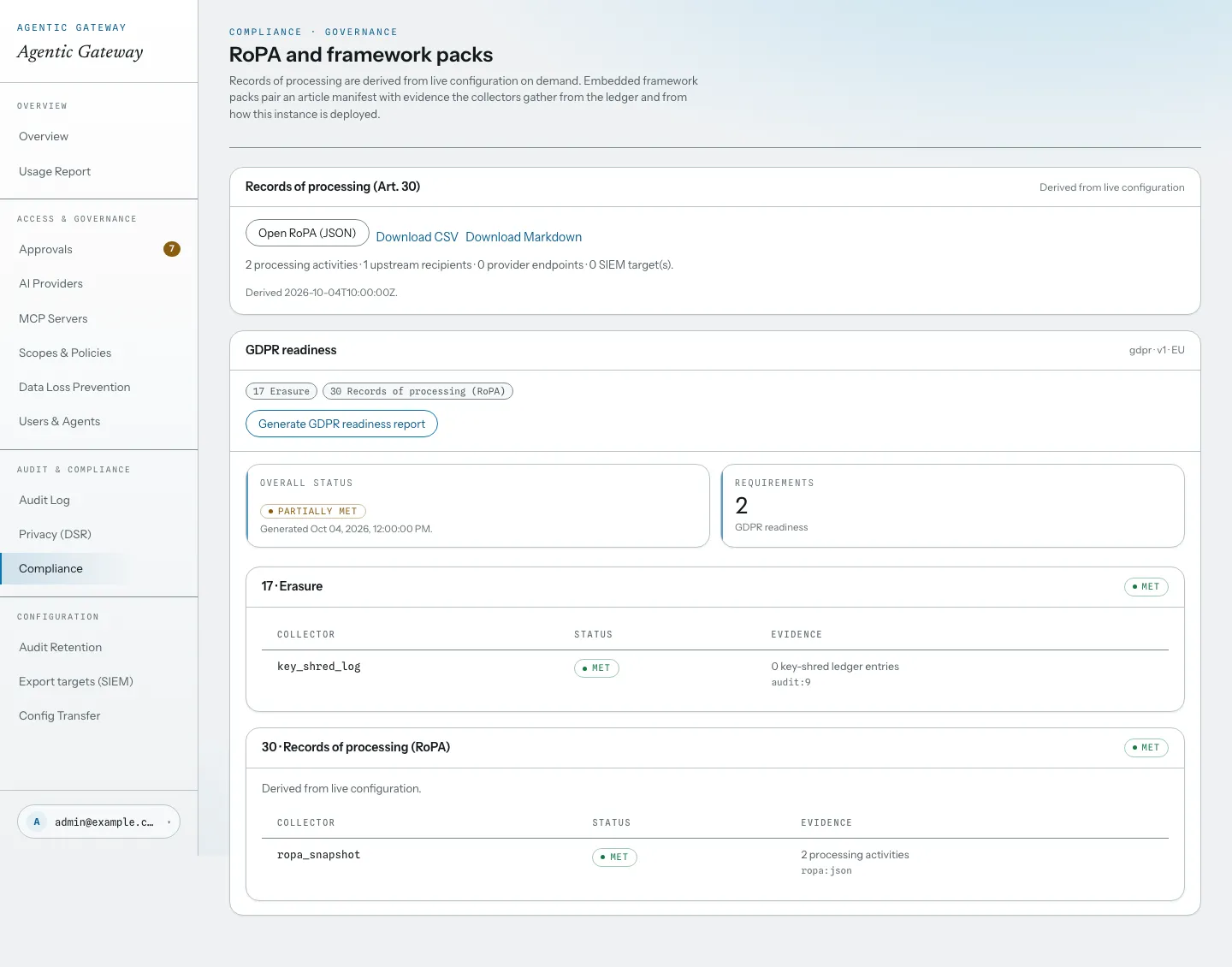
Compliance
Reports derived from live configuration.
The RoPA and framework packs are assembled from checks against the log and the configuration, so every claim
traces back to a record.