
Agent traffic, governed
A reverse proxy between your agents and the servers they call.
Agents call tools, read data, and send prompts to models. This proxy sits in the middle: it checks every request against rules you wrote, keeps upstream credentials to itself, and logs every decision, allow or deny, to an append-only audit log.
- Default deny. Nothing is served that was not approved, assigned, and allowed.
- Credentials stay on the gateway. Agent tokens never reach an upstream; upstream keys never leave it.
- Every decision is verifiable. Entries chain by hash and checkpoints are signed, so an auditor can verify later that nothing was changed or removed.
Why we built it
An agent will use whatever access you give it.
Hand an agent a finance tool and it reads balances and transactions. A shell tool, and it runs commands on someone's machine. A provider key, and it spends money on tokens until somebody thinks to look. Agents act right away on whatever access they have, and the access list only ever grows.
Most setups skip the middle. The agent points straight at the upstream, the upstream trusts whatever token arrives, and the record of who called what lands, at best, in a provider's log that nobody on your side controls.
This proxy sits in that middle. Every call is checked against your rules and written to the audit log before anything is forwarded, whether it is a tool call, a resource read, or a model request. Upstreams only ever see the proxy's own credentials, so a leaked agent token is useless outside your network.
How a request moves
Two kinds of access, one proxy.
Models are reached over OpenAI- and Anthropic-style APIs. Tools are reached over MCP. Both go through the same checks before anything leaves the proxy:
/llm/{slug}/v1
An LLM endpoint your agents connect to. Allowlists decide which models they may call, approved system
prompts apply to every request, and token budgets cap the spend. Off by default; enable with
LLM_PROXY_ENABLED=true.
/mcp/{vserver}
An MCP endpoint your agents connect to. It exposes selected tools, prompts, and resources from upstream MCP servers (HTTP or stdio) under one stable name. Agents see this endpoint, not the upstreams behind it.
Features
What stands between an agent and an upstream.
Approvalsstrict_hash enabled, a call is blocked when the upstream changes the definition after
approval.
Access rulesCredentialsLLM controlsDLPOperationsgwctl CLI cover day-to-day operation: syncing, approvals, policies, exports.
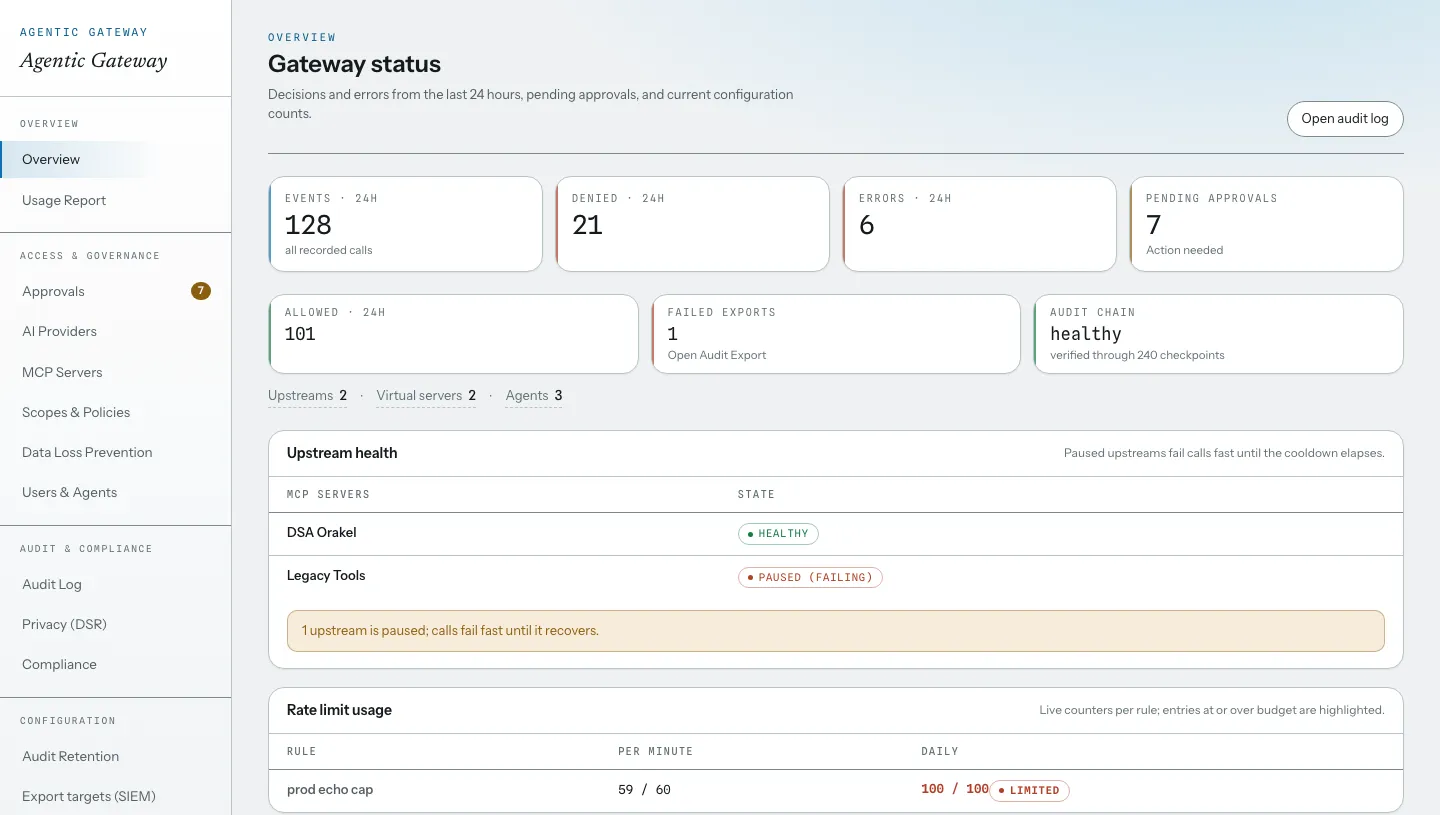
Every screen is documented on this site in the console tour. Prometheus metrics,
optional OpenTelemetry traces, and an optional split that runs administration and request handling as
separate processes.
Audit & compliance
A log you can verify later.
Decisions are written to an append-only log where each entry includes a hash of the previous one. Signed checkpoints let you, or an auditor, verify later that no entry was changed or removed. Actors are stored as pseudonyms and payloads are stored encrypted.
GDPR data-subject requests, cryptographic erasure with four-eyes approval, a RoPA export, and evidence packs are built in. Audit payloads are encrypted at rest with AES-256-GCM, and IP addresses stay out of the access log by default.